Claude in My Home Assistant: 71 Exposed Entities, No Locks
TL;DR
My flat has been running on KNX and Home Assistant for years. The language model was added in early August 2026: it reads sensors, writes the morning briefing, describes who is at the front door, and summarises the week’s energy on Sunday evening. It runs on the Anthropic API, wired into Home Assistant through two scripted paths and nothing else.
It can see 71 of 1236 registry entries, 18 lights and 4 media players among them, so it can switch as well as read. No lock, thermostat, cover or switch is in that set, and both locks carry an explicit exclusion.
The six decisions behind it:
- Reversible actions only. An entity is exposed only if a wrong call can be undone with one tap.
- No automation depends on the model. Both entry points validate the response and fall back to a pre-written sentence when the API is unreachable.
- All arithmetic happens in Jinja. Sums, averages, min/max and the self-sufficiency ratio are calculated before the prompt exists.
- 8 of 43 automations call a model. The other 35 are deterministic.
- Claude Code works on the configuration from outside, over the Samba share for the files and the REST and WebSocket APIs for everything that is not one. Both new dashboards, 28 views, were generated by script and pushed over the API.
- Four Grafana panels were wrong after two months of looking healthy, found by comparing each panel’s declared unit against the sensor’s own metadata.
The flat before the model
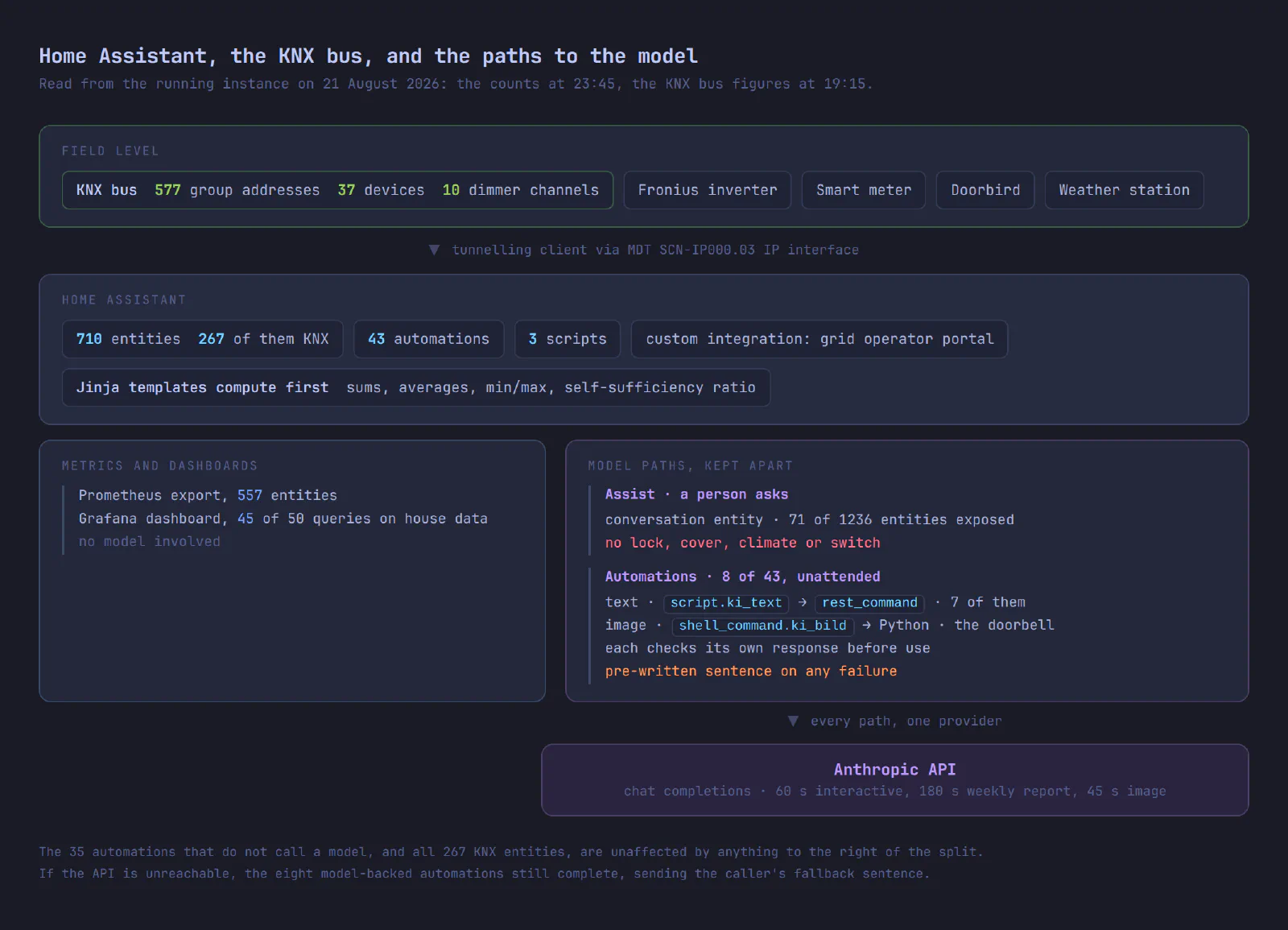
Home Assistant manages 710 entities, 262 of them sensors, of which 557 are exported to Prometheus, where they expand into roughly 3,250 time series. The entity registry behind them lists 1236 entries; the exposure counts are measured against that number, not against the 710. Forty-three automations run the flat. Behind them sit a Fronius inverter on the solar array, the grid operator’s smart meter, the KNX bus in the walls, a Doorbird at the front door and a weather station in the garden.
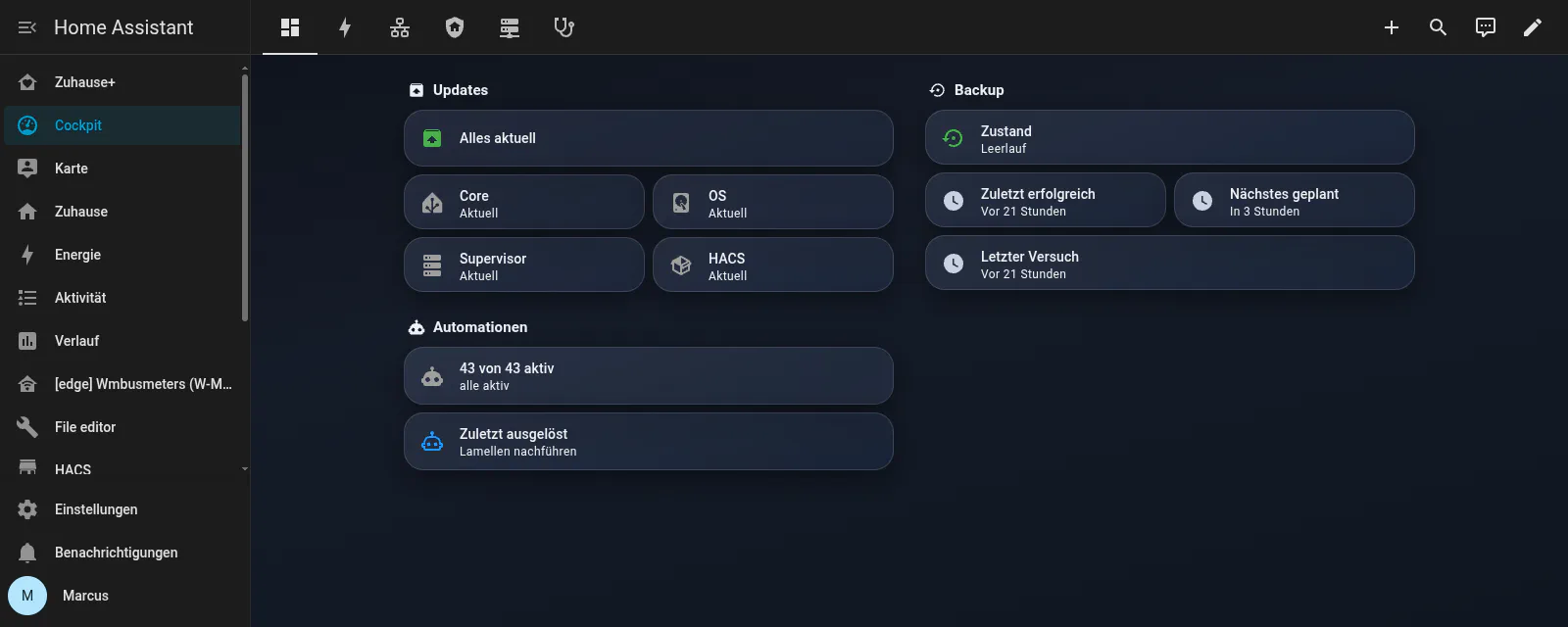
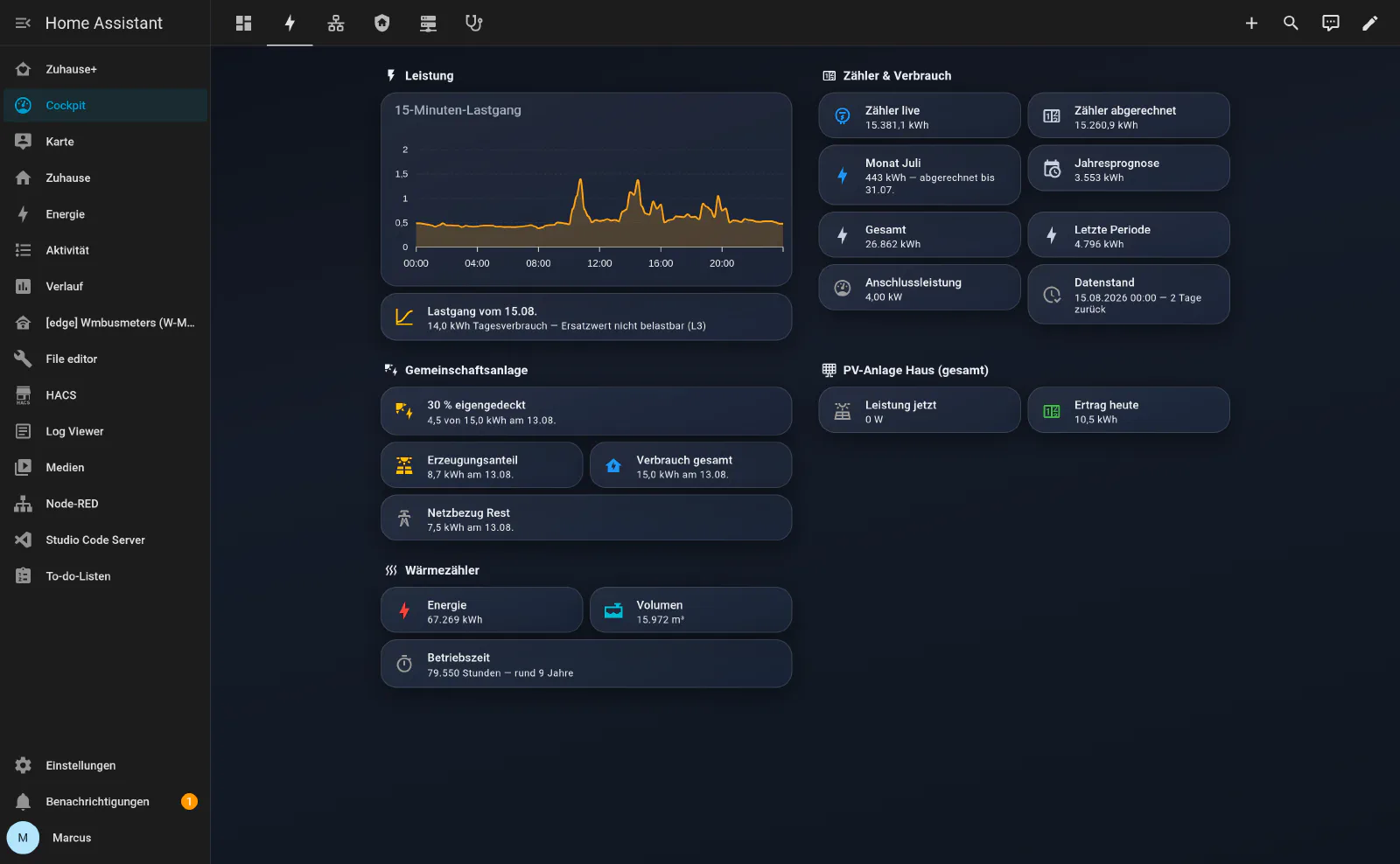
That tile reading 43 von 43 aktiv is the number I check first: a disabled automation stops running without reporting anything.
The bus in the walls
The KNX installation was in the walls before any of this software existed, and it depends on none of the servers.
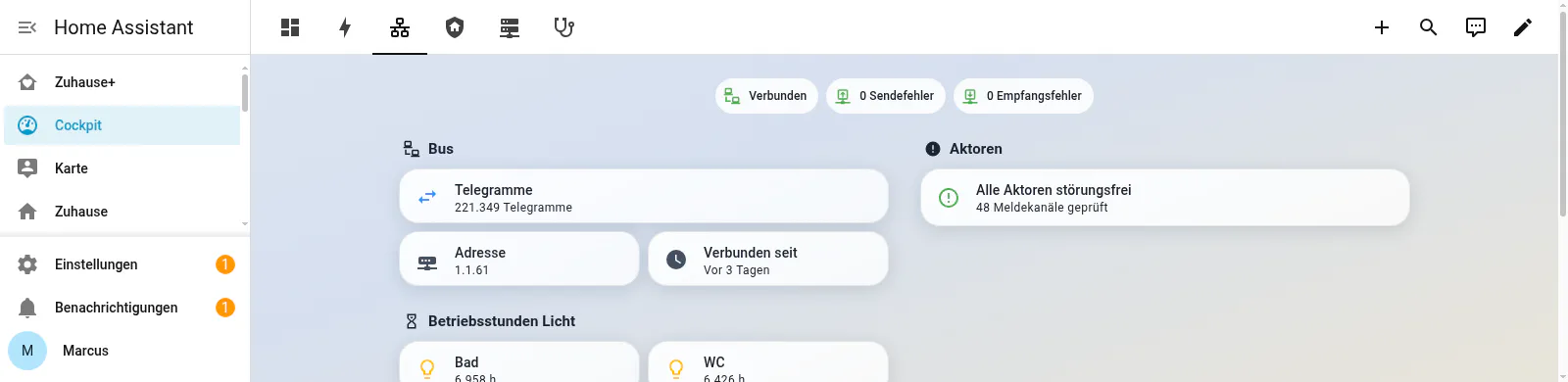
Home Assistant connects to that bus as a tunnelling client, through an MDT SCN-IP000.03 IP interface. The ETS project behind it defines 577 group addresses across 37 devices. On the Home Assistant side, 267 of the 710 entities are KNX entities.
Home Assistant is one more participant on that bus. Press a switch on the wall and the telegram goes to the actuator whether the server is running or not; the logic for that lives in the devices.
The rest of the infrastructure
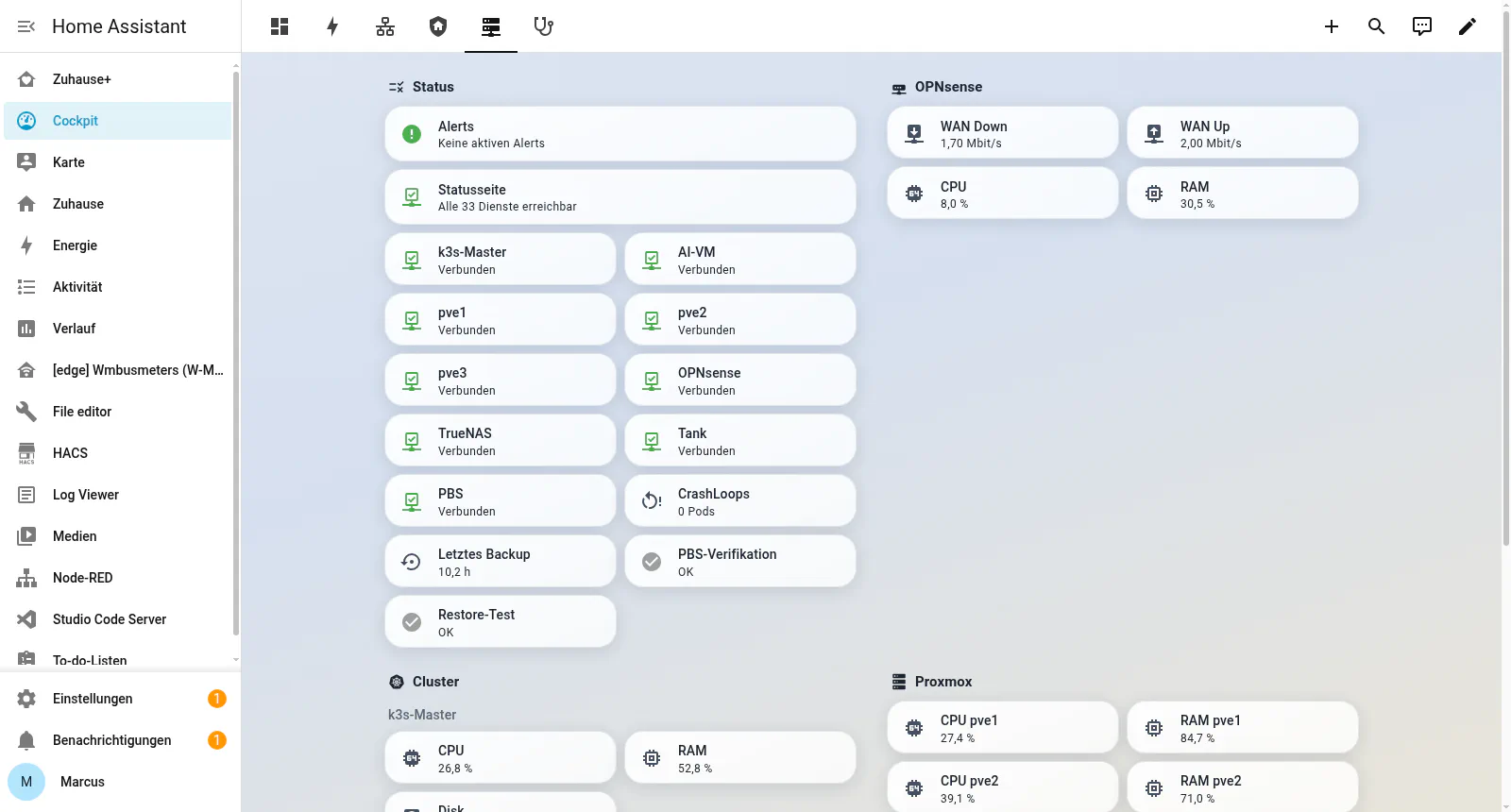
The Cockpit also watches the infrastructure the flat runs on: thirty-three services, three Proxmox nodes in the utility room, a k3s cluster, a firewall, a NAS and a backup server.
The tab that only shows what is broken
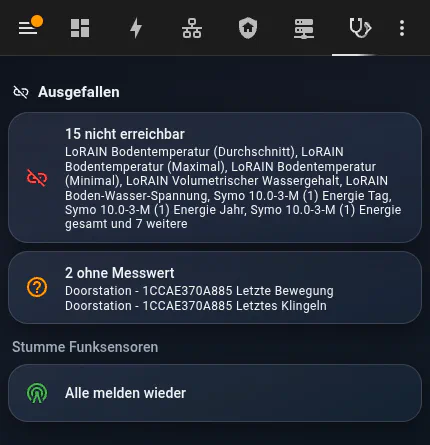
The tab lists what is unreachable and what exists but has never reported a value. A card turns green only when every battery-powered radio sensor has been heard from recently. On a good day the tab is empty.
Claude Code on the configuration itself
Claude has two jobs here. One is the model inside the flat, which writes the morning briefing, the doorbell description and the Sunday energy report. The other is Claude Code on my workstation, editing the configuration: the YAML, the templates, the dashboards, the Grafana queries. Most of what follows was done in that second role, from outside Home Assistant, over two access paths the instance already offers.
The configuration directory over Samba. Home Assistant’s configuration is files. The Samba add-on shares that directory on the LAN, and once it is mounted on my workstation, configuration.yaml, automations.yaml, scripts.yaml and every template are files in a directory a session can read and edit.
The API for everything that is not a file. The entity registry, current states and service calls go over the REST API with a long-lived access token. Dashboards do not: they are saved over the WebSocket API, through lovelace/config/save. That is how both dashboards were written on 1 August 2026: two generator scripts built the structure and pushed it. Nobody clicked 28 views together in the UI.
Between them, those two paths reach the whole instance: 710 entities, 43 automations, three scripts, three input_boolean helpers. A session reads the real configuration, changes every occurrence of a pattern in one pass, and hands back a diff I can read before anything is reloaded.
Two things keep that unattended work safe. A full backup runs every night at 03:00, so a change that turns out wrong is undone by a restore. Nothing is reloaded until Home Assistant’s own configuration check has passed, so a broken template shows up in the check instead of at runtime.
The rest was built from that side over a few days in August 2026. Both dashboards came on the first, the model layer on the third: ki_text, the image path, three new automations and a model call added to five that had been running since 2024. Then came the template sensors that hold the generated text, a custom integration against the grid operator’s portal, and the Grafana repair.
The dashboards, and who decided what
Zuhause+ and Cockpit both came out of those first days of August: 22 views and 6, the second one admin only. The older Zuhause is still in daily use beside them, the same 20 rooms in the older style. Zuhause+ adds two views to that, weather and the AI reports.
The session wrote the tile texts, the layout and the sensors behind them, with cards pinned to a fixed grid so nothing reflows badly on a phone.
What was not the model’s idea
The first draft sorted by room and by function: Start, Rooms, Climate, Media. My family does not navigate that way. My wife goes through the collections instead: all lights, all temperatures, all heating circuits in one list. The views follow the old paths, collections first, structure unchanged from what everyone already knew.
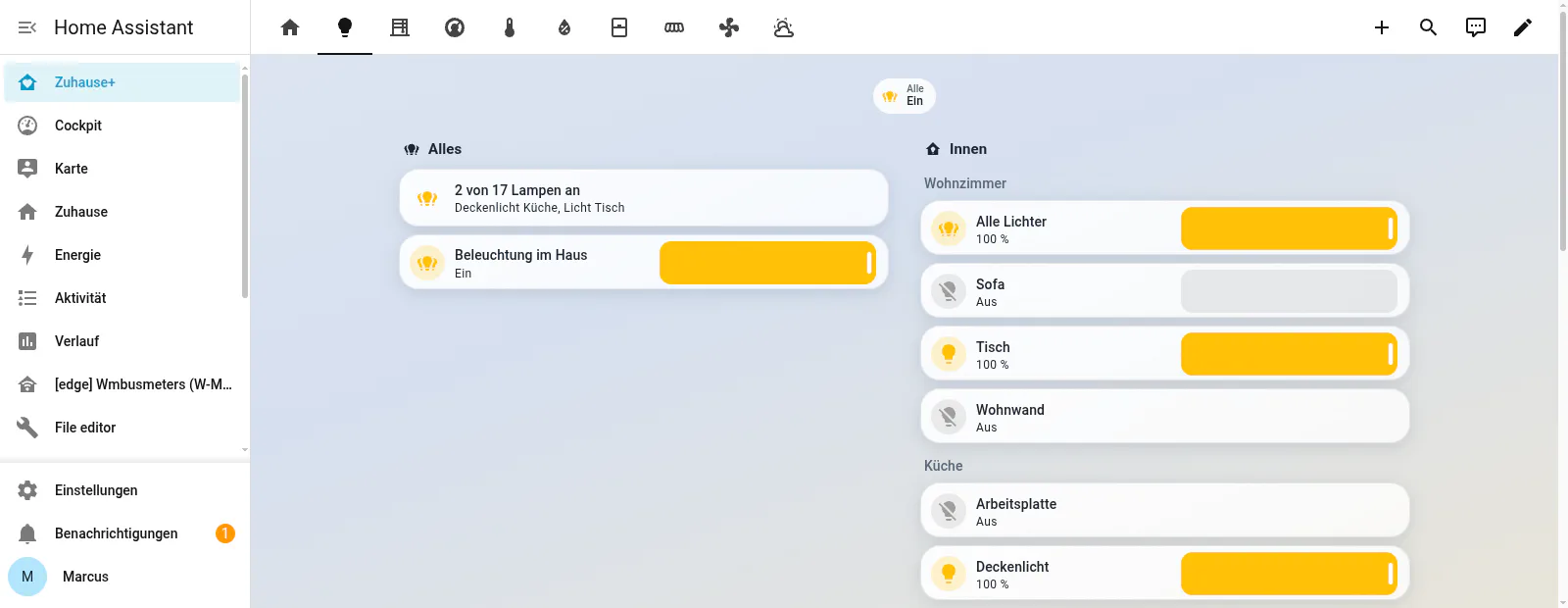
Same argument for labels. There is no Outside in my flat. There is Garten and there is Eingang, two different places with two different sensors, and one label for both would have been wrong.
The grid, the tiles and the sensors behind them came back cleaner than I would have built them by hand. The navigation stayed mine.
What the family sees
Twenty-two views, and hardly any of them involve the model.
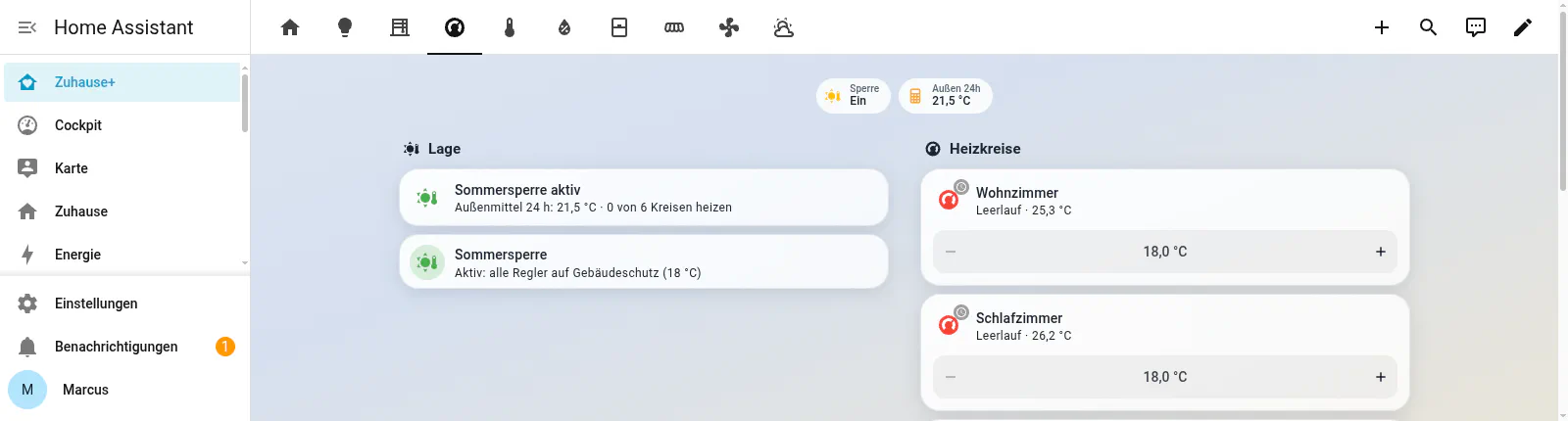
The summer lock behind that view is a deterministic automation with a hysteresis, written once and running since spring. No model is involved in the decision.
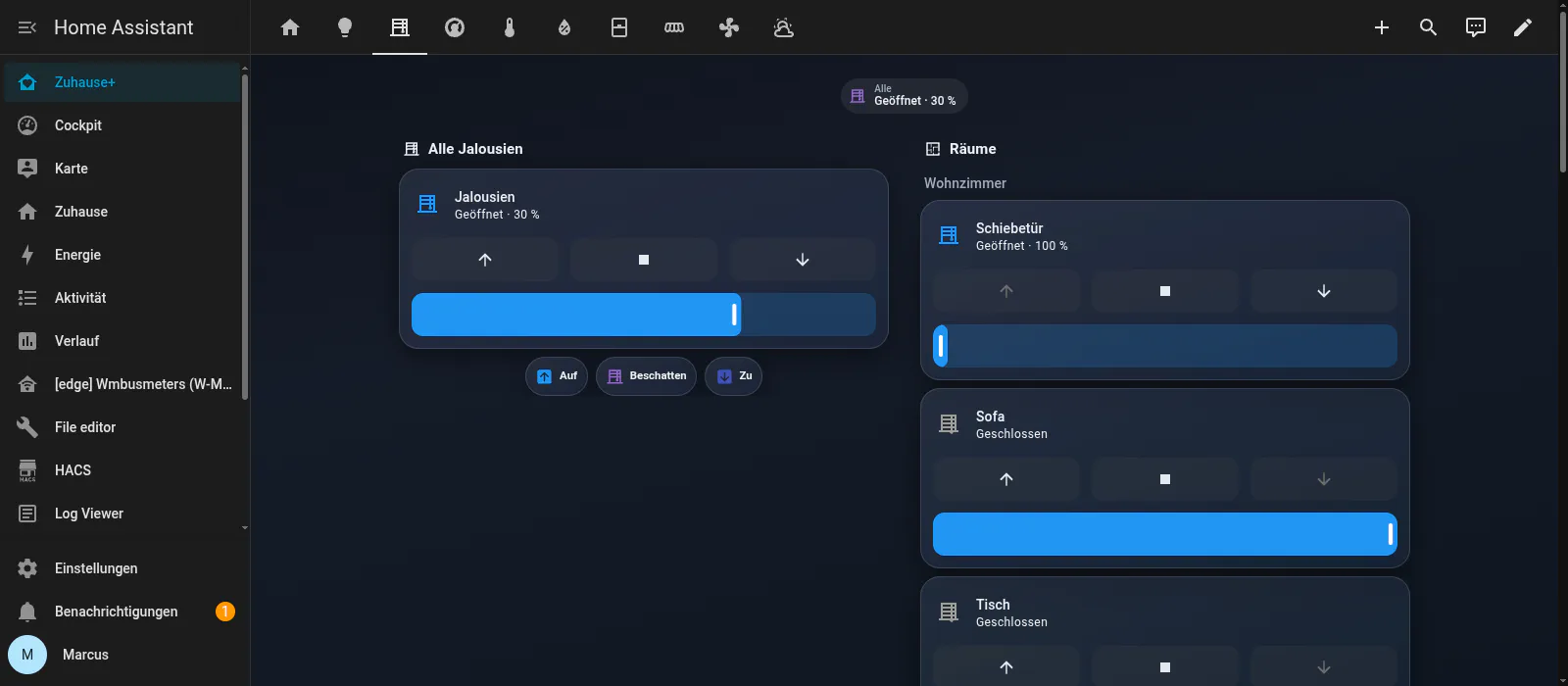
Blinds are mechanically reversible, down and up again, but a cover that closes while somebody is standing on the terrace is not, so covers are excluded along with the locks.
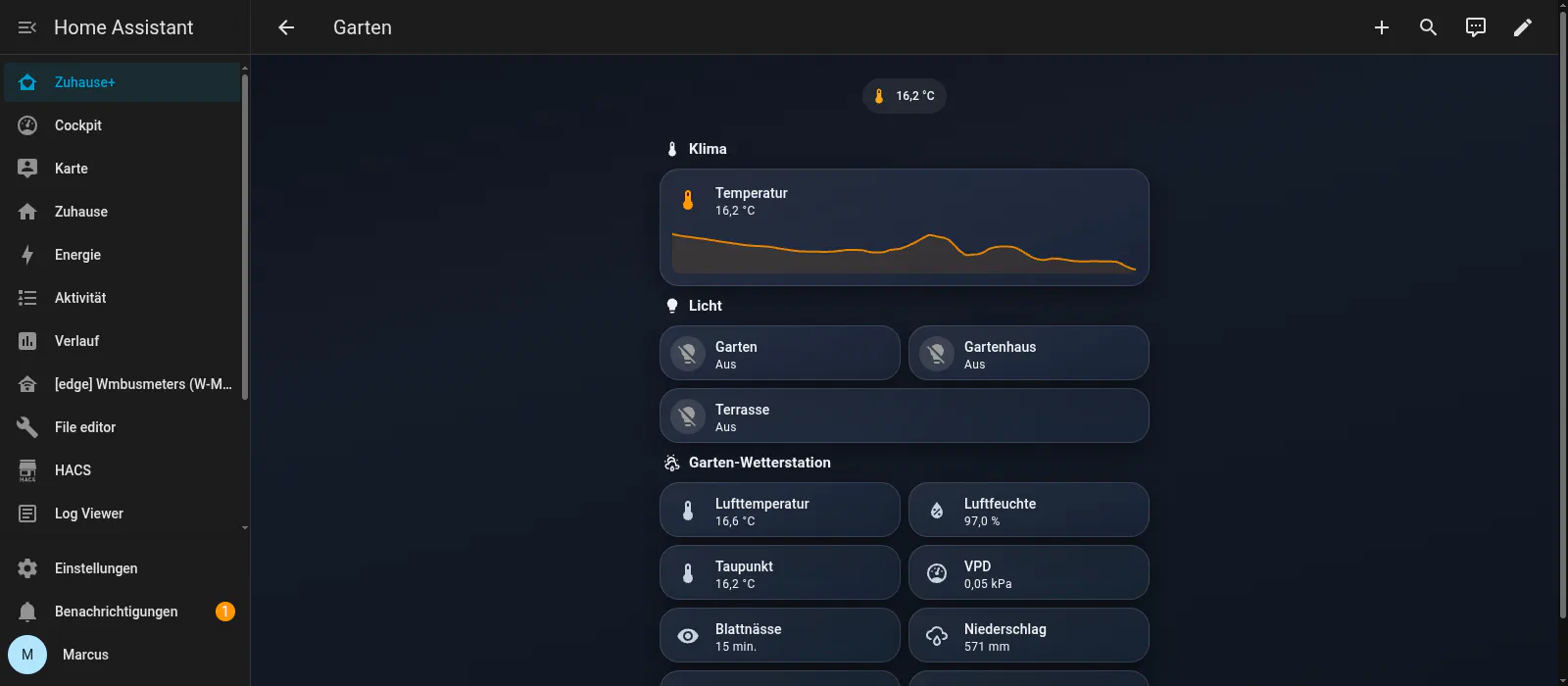
The garden has its own weather station, which reports leaf wetness in minutes and vapour pressure deficit in kilopascals. In that screenshot dew point and air temperature have met at 16.2 degrees, which is why humidity reads 97 percent: fog.
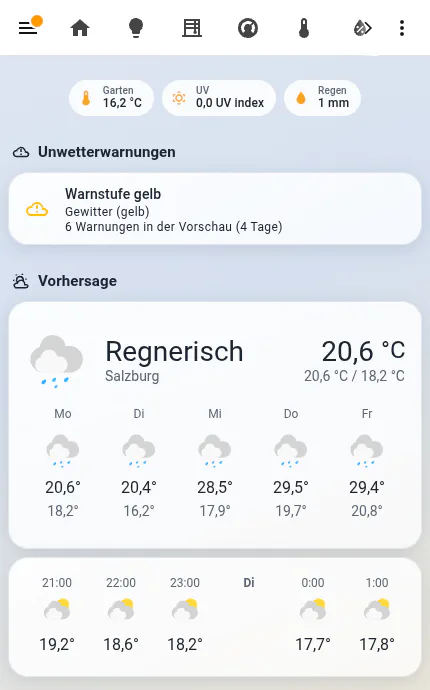
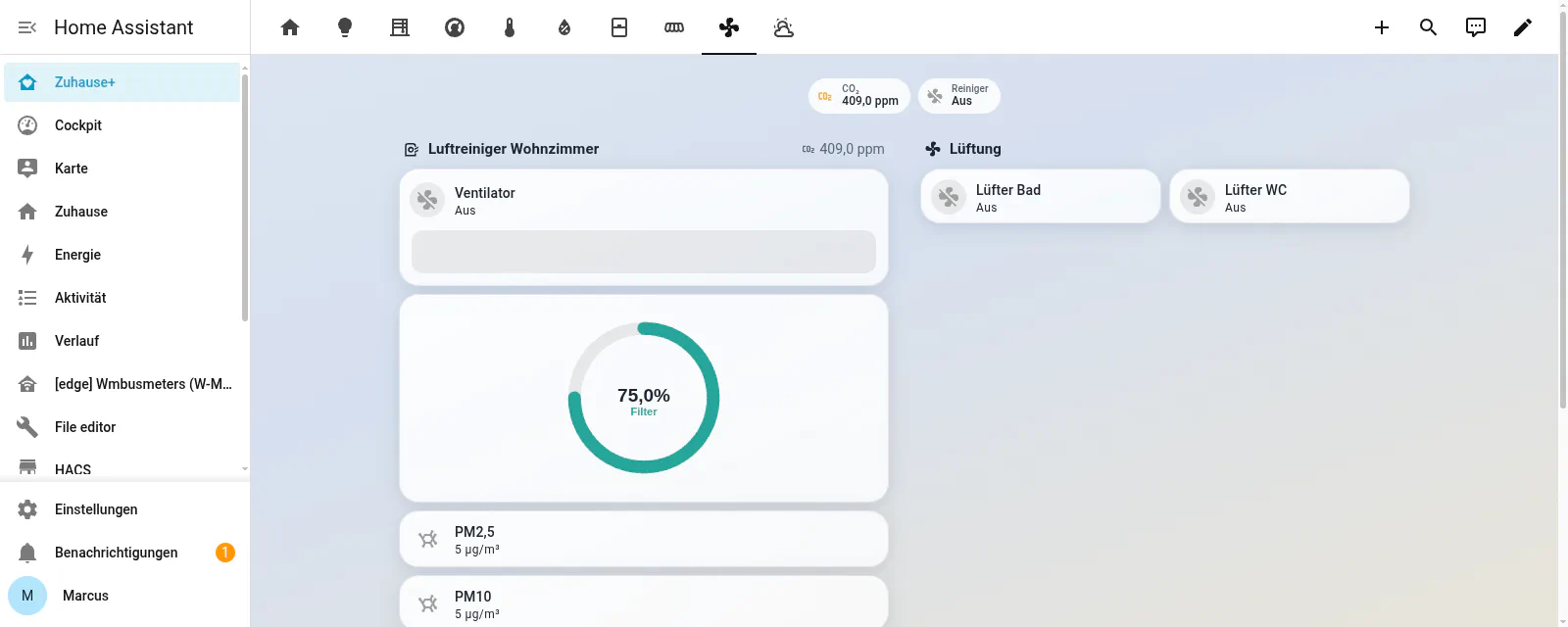
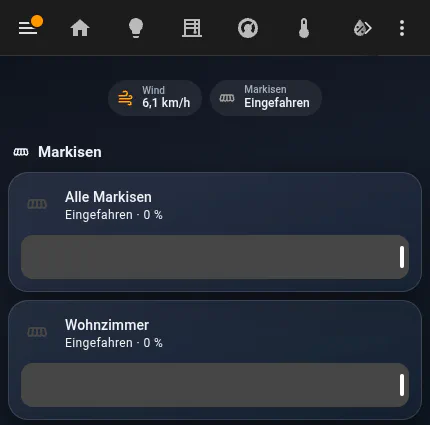
The awnings retract when the rain sensor trips. Wind speed is on the view to read; nothing acts on it.
What the model may touch
Home Assistant lets you expose entities to its conversation agent. Of the 1236 registry entries here, 71 are exposed: 36 sensors, 18 lights, 12 binary sensors, 4 media players, 1 weather entity. 790 are explicitly excluded. The remaining 375 were never offered, so the question never came up.
Both locks are excluded by name, and with them every cover, thermostat and switch, so what the model can operate is lights and media playback. Automatic exposure of new entities is off, so the next integration I install adds nothing the model can see until I say so.
The test for every entity is what a wrong call costs. The kitchen light switched off by mistake costs one tap. A front door unlocked at 03:00 because the model misread a sentence stays open until somebody notices.
On the infrastructure side the answer is different. The AI SRE that runs my homelab does hold destructive tools, and they execute only after I tap approve on my phone. In the flat there is no approval step, because there is nothing to approve: the entity is not in the set.
Assist sits on Zuhause+ as a button, next to the ordinary controls:
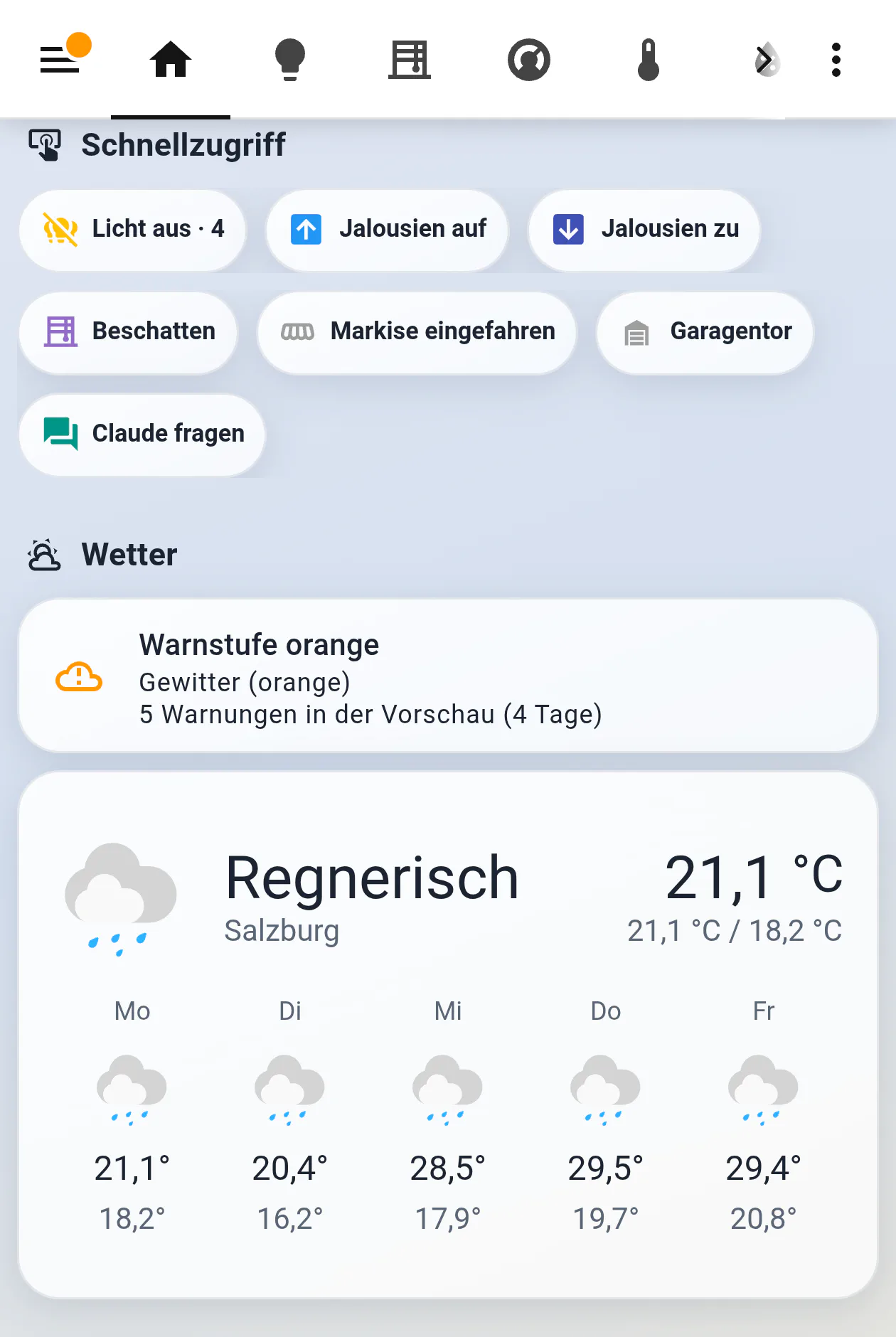
Two plain status questions, asked on my phone:
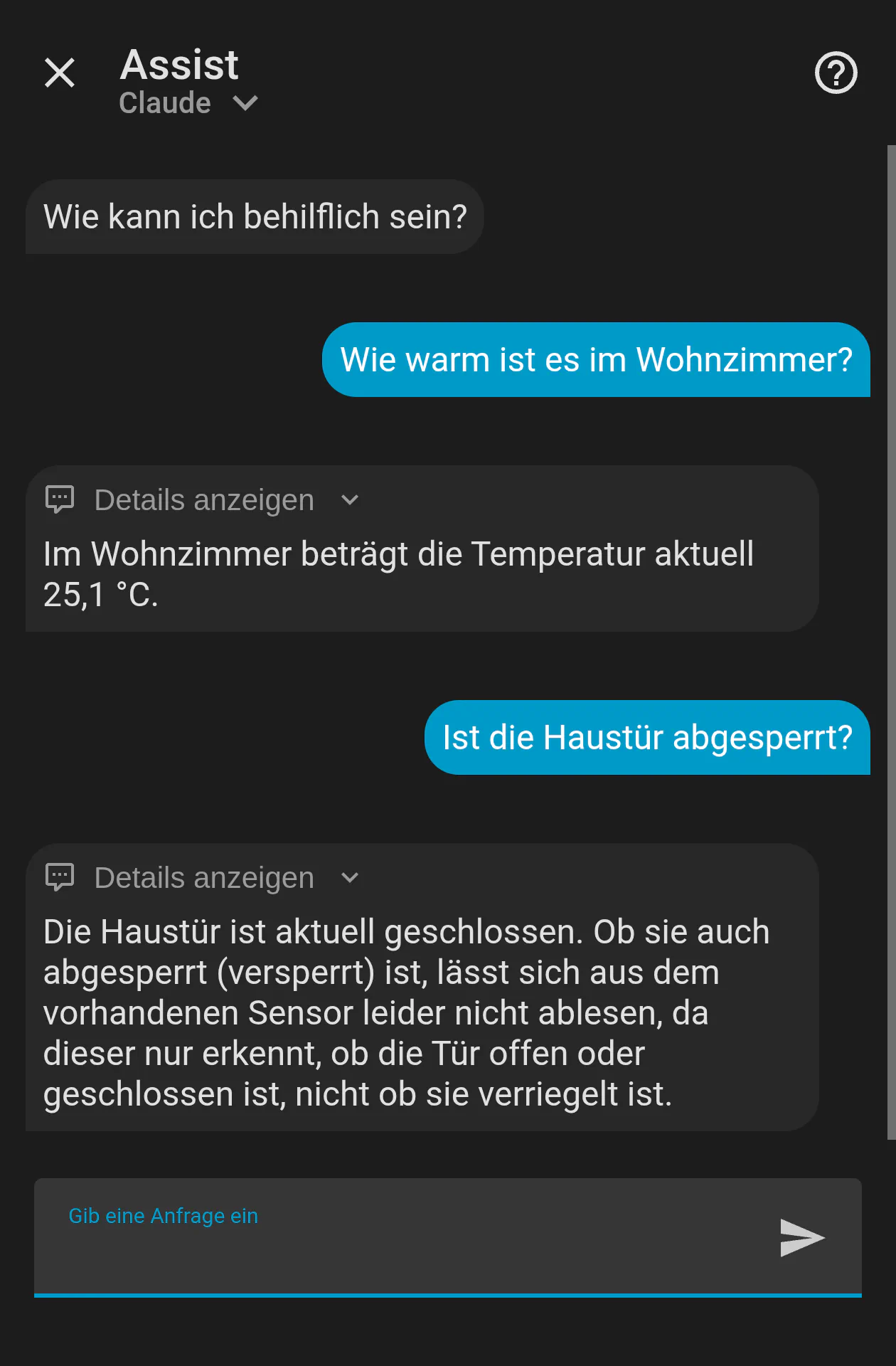
It reads the temperature straight off the sensor. Asked whether the front door is locked, it finds the door’s binary sensor, which reports open or closed, and answers that it cannot tell whether the door is bolted, because the sensor it has does not report that. The lock entity exists in the registry and is excluded, so the model cannot see it.
Two entry points, and the fallback behind them
Assist and the automations never share a path. Assist, where a person asks something, runs on a conversation entity: that is the path in the screenshot above, and it is the one the exposure list applies to. The automations never touch it, and they run whether anybody is home or not.
The automations have exactly two entry points. Seven of the eight call ki_text, which issues a rest_command against a chat-completions endpoint. It is one of only three scripts in this instance.
The eighth is the doorbell, which needs a different path: a rest_command posts a rendered template, and a template cannot carry a camera snapshot. So the visitor description runs through shell_command.ki_bild, a small Python file that base64-encodes the image and builds the request itself. Its fallback sits one level up, in the notification. If the Python file exits non-zero, times out or returns an empty string, what goes to both phones is the pre-written “Es klingelt an der Haustür.” Nothing reaches a model outside those two paths.
The text script does three things.
The HTTP call is allowed to fail. The REST command runs with continue_on_error, so a failure does not abort the automation that called it. Two timeouts here: 60 seconds for interactive text, 180 for the long weekly summary. The image path has its own, 45 seconds on the HTTP call inside a 60 second limit on the shell command around it.
The response is validated before use. The script checks that the HTTP status is 200, that the choices array is non-empty, and that the trimmed content is not an empty string. If any of the three fails, the fallback goes out.
The fallback is supplied by the caller. All seven callers pass a plain, pre-written sentence along with their prompt, and that is what goes out when the API is unreachable, slow, or returns nothing usable. A ventilation alarm falls back to “Das Badfenster ist bereits 15 Minuten geöffnet. Bitte schließen.” The room still gets told to close the window.
The core of the script; geduldig picks the long timeout, standard is the caller’s fallback:
- action: "rest_command.{{ 'ki_prompt_geduldig' if geduldig | default(false) else 'ki_prompt' }}"
  continue_on_error: true
  data:
    prompt: '{{ prompt }}'
  response_variable: ki

- variables:
    antwort:
      text: >-
        {% if ki is defined and (ki.status | default(0)) == 200
           and ((ki.content.choices | default([])) | length) > 0
           and (ki.content.choices[0].message.content | default('') | trim) != '' %}
        {{- ki.content.choices[0].message.content | trim }}
        {%- else %}
        {{- standard | default('') }}
        {%- endif %}
Five of the eight automations already existed before a model was added to them. The other three were built around one from the start, and all eight still complete when it does not answer.
Five are ventilation alarms, one per room, running since June 2024 and given a model-written sentence in August 2026. One is the morning briefing at 06:45 on weekdays and 08:30 at weekends. One is the energy report on Sunday at 19:00. The last is the visitor description: the doorbell fires, Home Assistant grabs a camera snapshot, a small script sends the image, and the text goes to two phones. All of them use the cheap, fast model by default, and the heavier tier only where the output is long.
Jinja computes, the model writes
The model does no arithmetic in the reports. Every sum, average, minimum, maximum and ratio in the weekly report is computed in the template, before the prompt exists. The prompt then says: use only the values passed to you, do not recalculate anything, do not invent numbers.
The prompt also rules out one label by name: “Anteil” (share) must never sit in front of a kWh amount, and percentages are never invented.
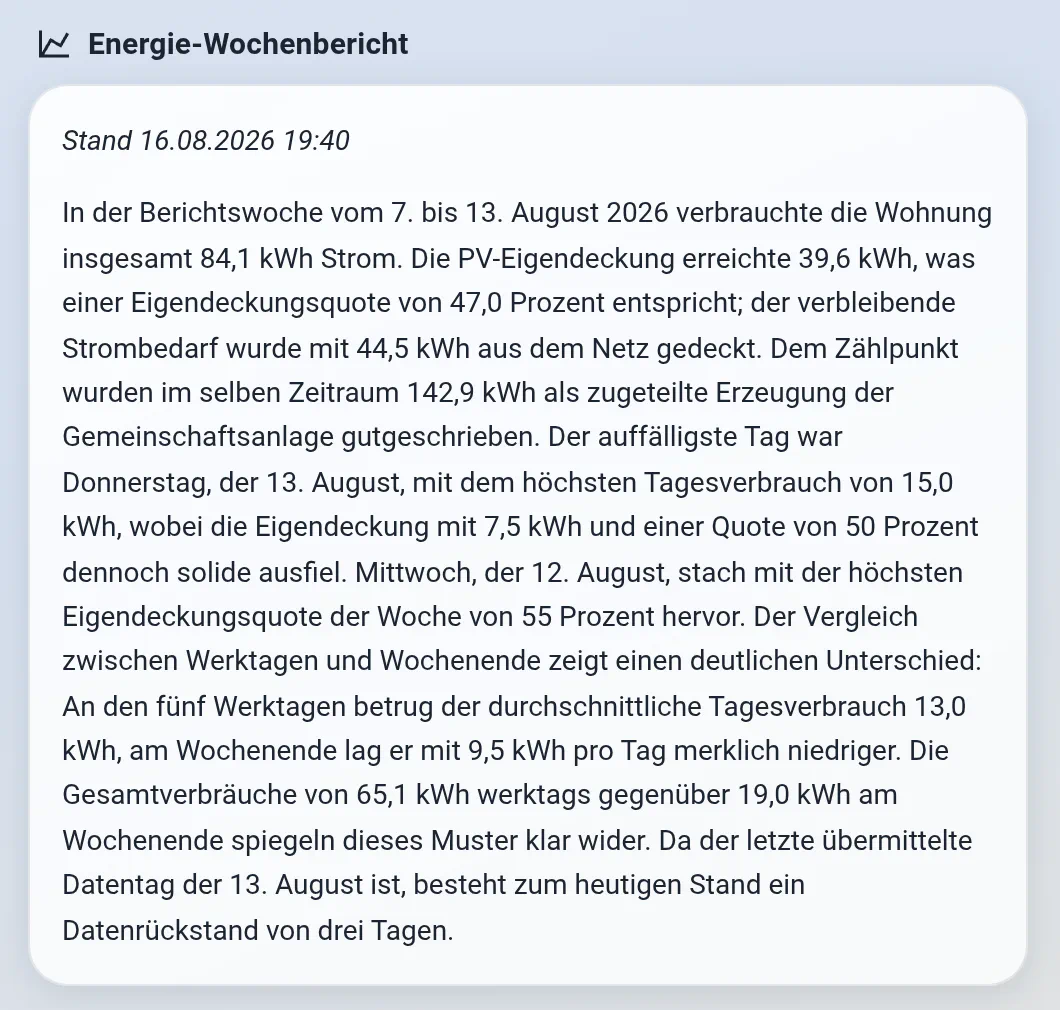
The report closes with the state of its own data source: the last day the grid operator transmitted was 13 August, three days behind. The template computes that gap and hands it over as one more fact to write up, and a separate automation alerts when the gap grows to several days.
The panel that looked healthy
I keep a Grafana dashboard for the flat alongside Home Assistant’s own views: the same sensors, read a second way. It runs 50 Prometheus queries, 45 of them on house data, on the same Prometheus and Grafana stack that watches the homelab. It had looked fine for two months: every panel populated, no gaps, no “No data”.

The energy row from the same dashboard:
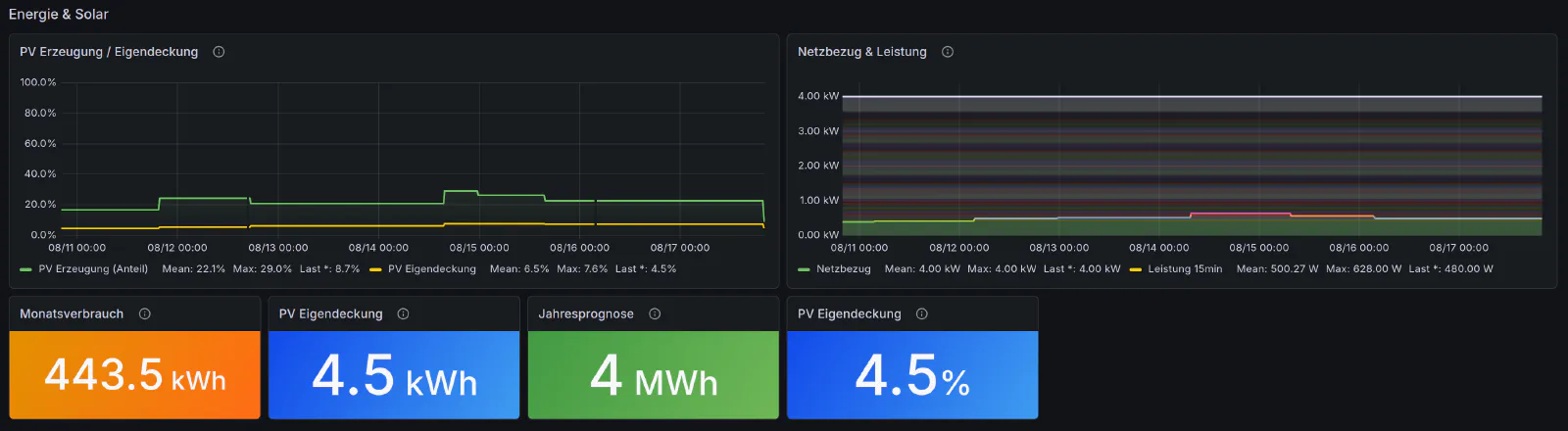
4.5 percent self-sufficient. The Cockpit, one screen away, said 30 percent for the same day: 4.5 of 15.0 kWh.
The sensor reports 4.5 kWh. The Grafana panel put a percent sign after it and called it a rate, and 4.5 is a plausible percentage for a poor solar month, so nothing looked broken. The panel beside it plotted my contracted connection capacity, a tariff constant of 4.00 kW, as though it were a live grid draw. The one real PV measurement, off the inverter, was not on that dashboard at all.
Claude Code found both in the metadata: pull each panel’s declared unit, pull the actual unit_of_measurement and device_class of the sensor behind it from the live registry, compare the two. Four panels disagreed with their own data source. The same pass showed that 29 of the 45 queries matched on friendly_name, a display string that can change at any time. A query matching on it stops finding its sensor as soon as it does. The fix took three of them off that axis.
The same row, after the fix
Same dashboard, same time range, after the fix:
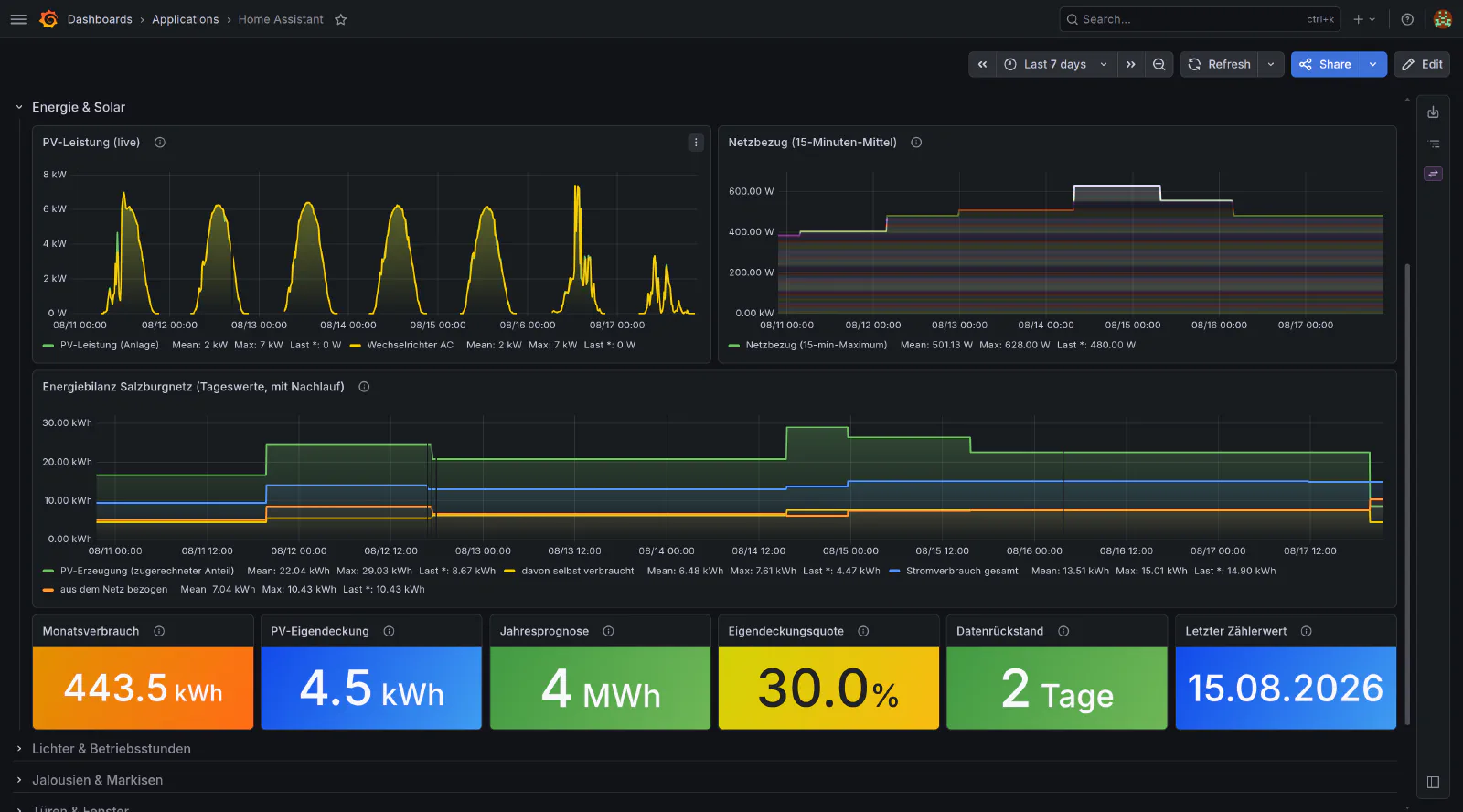
The row keeps the two data sources apart now. The live inverter reading is on the dashboard for the first time, in watts, with the billing balance as its own kWh panel below it. The flat 4.00 kW line is gone and grid draw moves between 400 and 630 watts. The self-sufficiency tile reads 30.0 percent for 13 August, the figure I had worked out by hand that day while the panel said 4.5.
How to wire this up
Five things work in any setup, whichever model you use.
Decide the exposure list yourself, then close it. Home Assistant’s expose_new setting controls whether the integration you install next month hands your assistant forty new entities without being asked. Turning it off keeps a curated list from filling up again. After that, expose by domain. The domains light, media_player, sensor and binary_sensor cover most of what makes an assistant useful. Leave lock, cover, climate and switch out.
For automations, use a REST call rather than a conversation integration. Home Assistant’s built-in conversation agents serve Assist, where a person types and the model answers. An automation that produces a sentence at 06:45 needs a different path: a rest_command against an OpenAI-compatible chat-completions endpoint, called from a script. Every current provider speaks that shape, and so does any gateway placed in front of them, so the model behind the endpoint can be changed without touching a single automation.
The endpoint does not have to be a commercial one either. The RAG chatbot on this site runs on a GPU in my own homelab, behind the same kind of HTTP call. A rest_command works the same whichever side of the LAN answers it.
Keep the number of entry points countable. Here it is two, text and image, and the second exists only because a rest_command cannot carry a picture. Both validate the response before anything uses it and send a pre-written sentence whenever a check fails.
Compute in the template, not in the prompt. Sums, averages, min, max and every ratio belong in Jinja, calculated before the prompt exists. Hand the model finished numbers and instruct it not to produce new ones. The output is then exactly as correct as the template, and it costs less to generate.
Reach the configuration over Samba and the API. Home Assistant’s configuration is files, so a Samba share and a long-lived token cover it. Templates and automations are edited as files, the registry and the states come over REST, dashboards go back over the WebSocket API. Back up nightly, and reload nothing before the configuration check has passed.
None of this changed what the flat can do. Twenty-nine of the 43 automations predate the model, five of them took a model call on top of what they already did, and all eight still work on the days the API does not answer.
Everything above runs on my own Home Assistant instance. The counts were read from it on 21 August 2026, the age of the automations from a full backup taken on 2 August. Every screenshot is an unedited capture, with presence, camera images and family names kept out of frame.